Rules grow without ownership
A hidden collection of automations becomes difficult to review and easy to contradict.
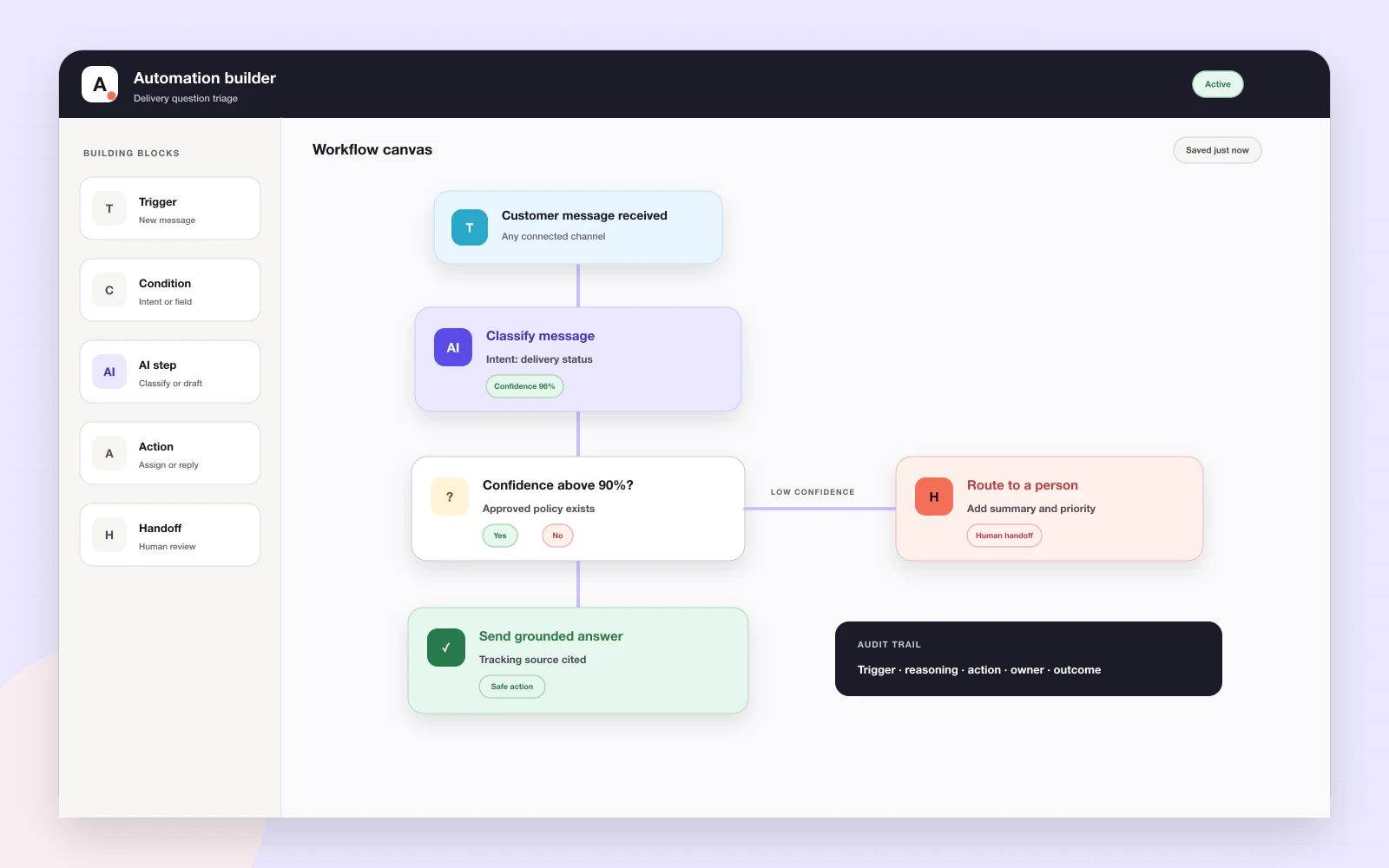
Avimora automations help a support team handle predictable routing, classification, status and approved low-risk responses. Each rule should have a clear trigger, narrow conditions, a visible action and a safe handoff when the situation falls outside its boundary.
A hidden collection of automations becomes difficult to review and easy to contradict.
A common question can become sensitive when money, security or an angry customer is involved.
An automation that cannot complete should create visible human work, not a silent dead end.
A supported trigger checks explicit conditions, performs an approved action and records the result. Low confidence, sensitive intent or an execution problem routes the conversation to a person.
Avimora uses opinionated defaults so the team can start with a complete workflow instead of a configuration project.
Start with routing, tagging, prioritisation or an approved low-risk answer.
Define the trigger, conditions, exclusions and required confidence.
Keep an audit trail and make failures or escalations visible.
Send supported work to the appropriate person or team.
Apply category, priority or tags when the rule is safe.
Use only for narrow low-risk situations enabled by the organization.
Escalate when confidence or policy requirements are not met.
Show what ran and which state changed.
Begin with practical rules rather than a sprawling workflow project.
Remove repeated coordination from the queue.
Spend less time on routine classification.
Define what the system may and may not do.
The product direction includes repetitive classification, routing, status and approved low-risk reply work. Exact rule availability depends on the plan and implementation.
No. Sensitive promises, approvals and policy exceptions require human control.
A failed or uncertain action should become visible human work with an audit record.
Automation is an existing Customer Support capability. The public plans are primarily differentiated by platform fee and handled-ticket rate; confirm advanced workflow requirements with the Avimora team.
The current product direction favours simple, practical rules. A broad visual workflow builder is not presented as a live capability.
Use AI Website on your website, Customer Support with your team, or bring both products together.